Foreign Trade: T-Shirt Color Reverts? Check Variants & Cart
If the product page on Foreign Trade automatically reverts after selecting a color or size, or if the color and size shown in the cart differ from what you just selected, do not pay yet. This only means the variant record across the current page, cart, or checkout flow has not been consistently verified, and you cannot assume from this that fashion-reps or the shopping platform has a system failure. ## First confirm you are looking at the same prod
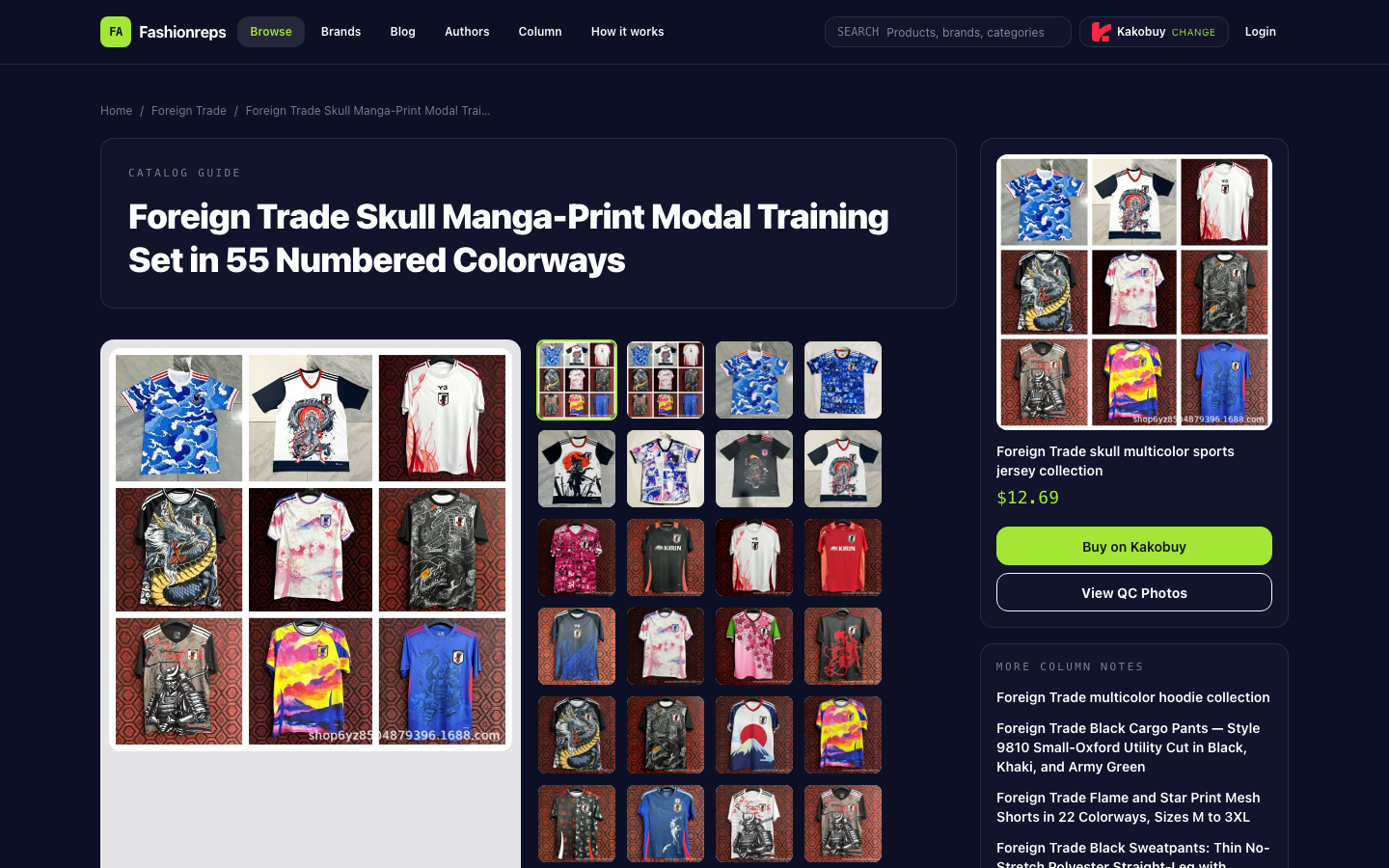
If the product page on Foreign Trade automatically reverts after selecting a color or size, or if the color and size shown in the cart differ from what you just selected, do not pay yet. This only means the variant record across the current page, cart, or checkout flow has not been consistently verified, and you cannot assume from this that fashion-reps or the shopping platform has a system failure.
First confirm you are looking at the same product
The provided product details show that the page actually describes a short training set in modal fabric and spandex, including a top and shorts, available in unisex adult sizes S, M, L, XL, XXL, and 55 numbered print options. It is not the pure cotton T-shirt explicitly mentioned in the details, so if your goal is a pure cotton single T-shirt, you should first check the product title, link, and images to avoid mixing variant records of different products.
The page also states that color options are mainly represented by numbers, and the actual pattern needs to be confirmed against the product images. The page does not provide a complete size chart or independent buyer feedback, so you cannot determine the final received color, size, and fit solely from the number or the page's default option.

The illustration shows the variant and cart verification process and does not replace physical product, QC, or buyer photo evidence.
First record the current page state
Before re-clicking on color or size, record the following information:
- Full product title.
- Current product link.
- Color or print number.
- Size.
- Main product image or image corresponding to the color.
- Price shown on the page and page time.
If the page just reverted, do not immediately click multiple options in succession. Consecutive actions may make it impossible to tell which selection was saved, and it will be harder to match with the cart record later.
Re-select variants in the same order
After returning to the product page, follow this order:
- First confirm that the product title and link have not changed.
- Select the target color or print number and pause briefly to see if the option stays selected.
- Check the image to confirm the actual pattern corresponding to the number, not just by color name.
- Then select the size.
- Check if the price, stock notice, or product summary on the page changes with the variant.
- After adding to cart, immediately open the cart details.
If the page reverts to default after selecting a color, first take a screenshot of the state before and after the revert, then continue checking. Do not treat the default color on the page as the color you have confirmed.
Three fields must be exactly the same
Before payment, compare at least four types of information across the product page, cart, and checkout page:
| Field to check | What to check | What to do if inconsistent |
|---|---|---|
| Product identity | Title, link, or product number | Return to the product page and confirm you did not jump to a similar product |
| Color or print | Number, text description, and image | Compare with product image and save screenshots of both |
| Size | Value selected on product page vs. cart record | Re-select once and check cart again |
| Quantity and price | Quantity, unit price, and subtotal | Do not submit the order without verification |
For this catalog item, the page lists 55 numbered prints but has no independent buyer confirmation and no complete size chart. Even if the product page and cart show the same number, it only proves the fields are temporarily consistent, not that the print quality, fit, or actual item matches the image exactly.
Order of troubleshooting when cart record is inconsistent
If the product page shows the correct variant but the cart still shows a different color or size, follow this order:
- Delete the problematic old entry from the cart and re-add from the product page.
- Check if multiple variants of the same product exist in the cart simultaneously, to avoid mistaking an old record for the new selection.
- Reopen the product page and confirm that the product link is still the original one.
- Use page screenshots to record the difference between the product page and cart, including color number, size, quantity, and price.
- If the checkout page changes fields again, stop submitting and keep the checkout screenshot.
Do not rely on browser back, refresh, or repeated clicks to "try your luck" at fixing it. If the problem recurs, repeated adding may create multiple similar cart entries and increase difficulty of later verification.
When to contact official channels
If the product page, cart, and checkout cannot maintain the same set of variants, submit the issue through the official shopping platform or customer service entry shown in the current purchase flow. The submission should include:
- Full product link.
- Target color or print number.
- Target size.
- Screenshots of product page, cart, and checkout page.
- Page display time.
- Whether old entries have been deleted and re-added.
When describing the problem, clearly state it is "variant selection reverts after selection" or "cart record inconsistent with product page," not just "product has a problem." Customer service needs to know on which page the inconsistency occurred and which field changed.
When to pause payment
Do not submit the order if any of the following occurs:
- The product title or link changes during the process and you cannot confirm it is still the same product.
- The color number and image cannot be matched.
- The size shown on the product page is inconsistent with the cart or checkout page.
- The checkout page reverts to default color or size again.
- There are multiple similar entries in the cart and you cannot confirm which is the final selection.
- You need to rely on the page default value, unconfirmed information from customer service, or speculation to determine the actual variant.
- You need a pure cotton T-shirt, but the current details correspond to a modal and spandex short training set.
Only consider proceeding to payment when the product identity, color or print, size, quantity, and price are consistent across the product page, cart, and checkout page, and you accept the limitation that this product lacks independent buyer feedback and a complete size chart.
Community feedback
0 approved
No approved comments yet.